Skip to content

Digital Experiences

Custom websites.
Unmistakable experiences.

We design and develop responsive websites, ecommerce storefronts, campaign landing pages, and interactive web applications. From a custom InkSoft storefront to a React and TypeScript frontend, the build starts with what your customer needs to understand or do.

Selected experience
Saved Holidays in Hollywood storefront design showing a theatrical holiday entrance and apparel paths.

Web design & frontend development

Choose the build that fits the job.

A clearer website, a better shopping journey, or a custom interactive application: the technology should serve the experience and the team maintaining it.

React & TypeScript development
Custom interfaces, reusable components, interactive product views, and web applications with explicit state and typed data.
InkSoft storefront customization
Branded HTML and CSS entrances, collection navigation, and responsive ecommerce UX within an existing hosted commerce platform.
Responsive web design & UI/UX
Mobile layouts, keyboard controls, product inspection, HTML Canvas animation, and reduced-motion options built around useful customer actions.
Technical SEO & search-ready content
Descriptive page titles, semantic HTML, canonical URLs, structured data, and prerendered service and case-study content. Explore our search-readiness approach →

Selected experiences

The idea is visible.
The thinking is, too.

Each project begins with a different question: how should someone enter a collection, choose the right uniform, explore a place, or understand an idea? Step into the work, then see how the content, interface, and existing technology fit together.

Saved Holidays in Hollywood storefront design showing a theatrical holiday entrance and apparel paths.

Theatrical storefront · Public reconstruction

Holidays in Hollywood

Give a collection an entrance with a point of view.

A Hollywood-inspired holiday scene gives this cast-and-crew collection its own atmosphere. From that entrance, visitors can move into jackets, hoodies, headwear, and pants rather than deciphering a generic product grid.

Behind the build

InkSoft storefront customization & React frontend development

A custom branded entrance for hosted ecommerce, followed by a separate React reconstruction that lets visitors inspect the design publicly.

Original storefront
  • InkSoft
  • Custom HTML
  • Scoped CSS
  • Responsive design
Public reconstruction
  • React
  • TypeScript
  • Vite
  • Cloudinary
  1. Hosted ecommerce customization

    The original presentation sits within InkSoft. Custom HTML and scoped CSS shape the entrance and collection navigation while InkSoft provides the product catalog, customer accounts, cart, and checkout.

  2. Layered hero and collection layout

    The reconstruction composes saved scene artwork with separate foreground imagery, live headings, calls to action, and category cards. CSS Grid, theme variables, and gold-and-green styling carry the visual direction from the entrance into product and bag views.

  3. React components and product browsing

    Typed theme and product data drive reusable collection cards, category filters, text search, product inspection, size and quantity controls, and a temporary demo bag. React state keeps selections together as the visitor moves between views.

  4. Responsive frontend and motion controls

    Scoped CSS adapts the layout to narrow screens. Native buttons, labeled inputs, focus management, and a modal artwork viewer support keyboard use. Decorative effects pause offscreen or in a hidden tab and respect reduced-motion preferences.

For your workWhen your product has a story, the first screen can set its tone and still lead people directly toward a useful choice.

Explore the storefront Storefront design within Data Graphics’ client-services workflow. Public design reconstruction; products and options are illustrative, with no orders or payments. Brand assets belong to their owners. No direct Disney relationship is claimed.
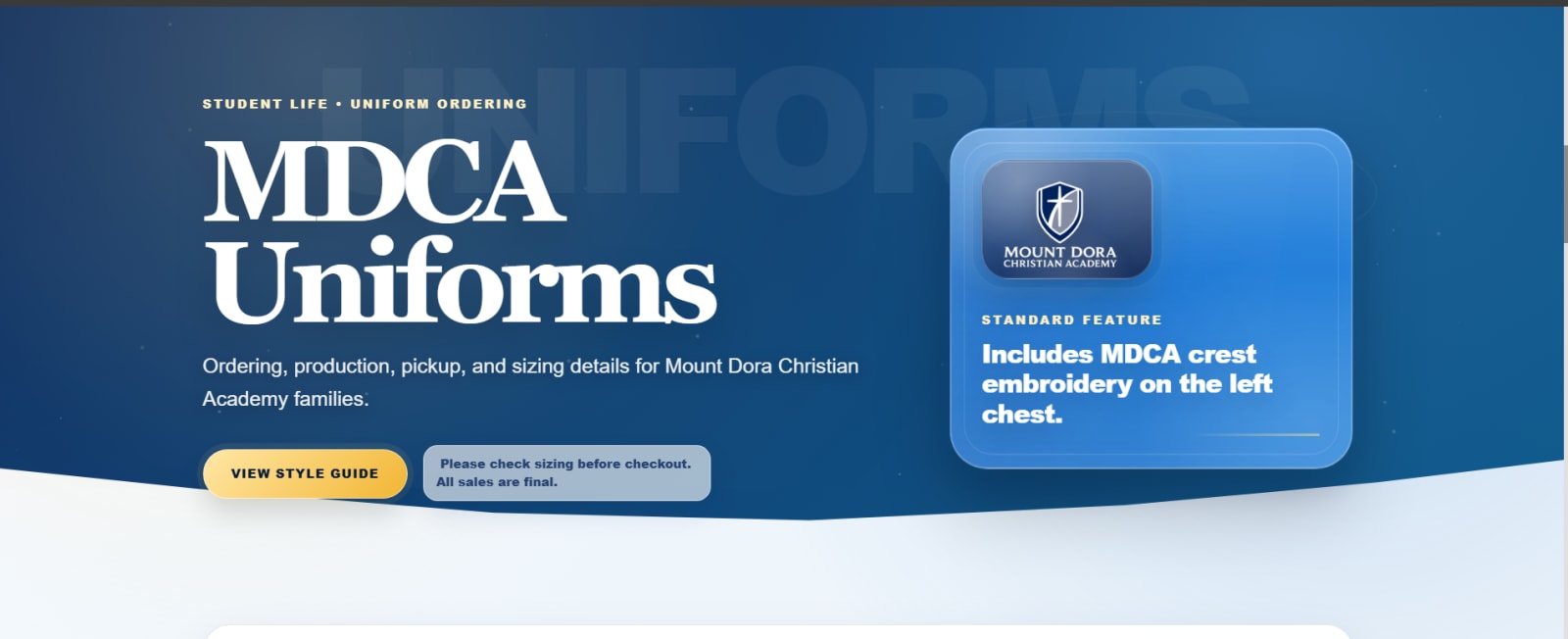
Saved MDCA uniform-store entrance with school branding and ordering guidance.

Live hosted storefront · School uniforms

MDCA Webstore

Make the practical questions easy to answer.

The MDCA store helps families choose between shopping now and checking fit first. Its live entrance explains the ordering path, production timing, and pickup notification before the customer reaches the catalog.

Behind the build

School webstore design & InkSoft ecommerce UX

A responsive custom entrance for a live school-uniform store, organized around sizing, ordering, and pickup questions.

Live storefront
  • InkSoft
  • Custom HTML
  • Scoped CSS
  • Responsive design
  1. Hosted storefront customization

    Custom school-branded content and responsive layout sit above InkSoft’s existing catalog. The commerce platform handles products, customer accounts, cart, and checkout.

  2. Information architecture before the product grid

    The entrance separates shopping from fit guidance and explains production timing and pickup notifications. Clear section hierarchy gives families practical ordering context before they commit to a purchase.

  3. Ordering guidance where it affects the decision

    Sizing help and the final-sale reminder are part of the customer path. This is ecommerce UX and content design around an existing platform; the linked live store supplies the current catalog and terms.

For your workA useful customer experience often starts by answering the questions people would otherwise need to call or email about.

Visit the live webstore Storefront work within Data Graphics’ client-services workflow; Eidos Works does not claim a direct MDCA client relationship or ownership of the school identity. Image is a saved design reference; the linked store is live. No conversion or sales uplift is claimed.
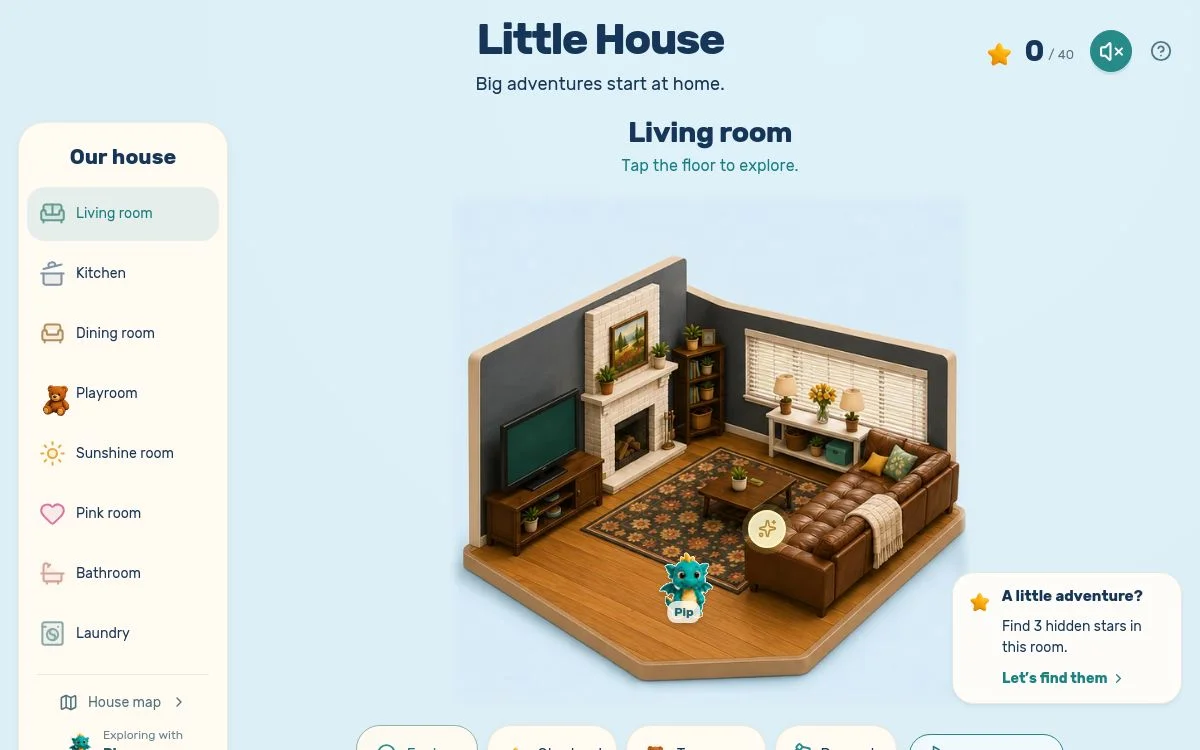
Illustrated Little House dollhouse with rooms to explore.

Interactive game · Studio project

Little House · Big Adventures

Turn a small action into a place to explore.

Room by room, Little House turns exploration into play. Visitors can look for hidden stars, rescue toys, decorate, and move through an illustrated dollhouse at their own pace.

Behind the build

  1. The experience is organized around a repeatable loop: enter a room, explore it, and discover an action or challenge.
  2. Different modes and room choices give players a reason to return without hiding the basic controls.
  3. An illustrated dollhouse provides a separate playable route when the 3D experience is unavailable.

For your workParticipation can help people remember an idea. That same design thinking can inform a learning tool, exhibition, or campaign.

Explore the illustrated house Independent studio game. The linked illustrated experience is the reliable preview; the separate 3D view depends on browser and device support.
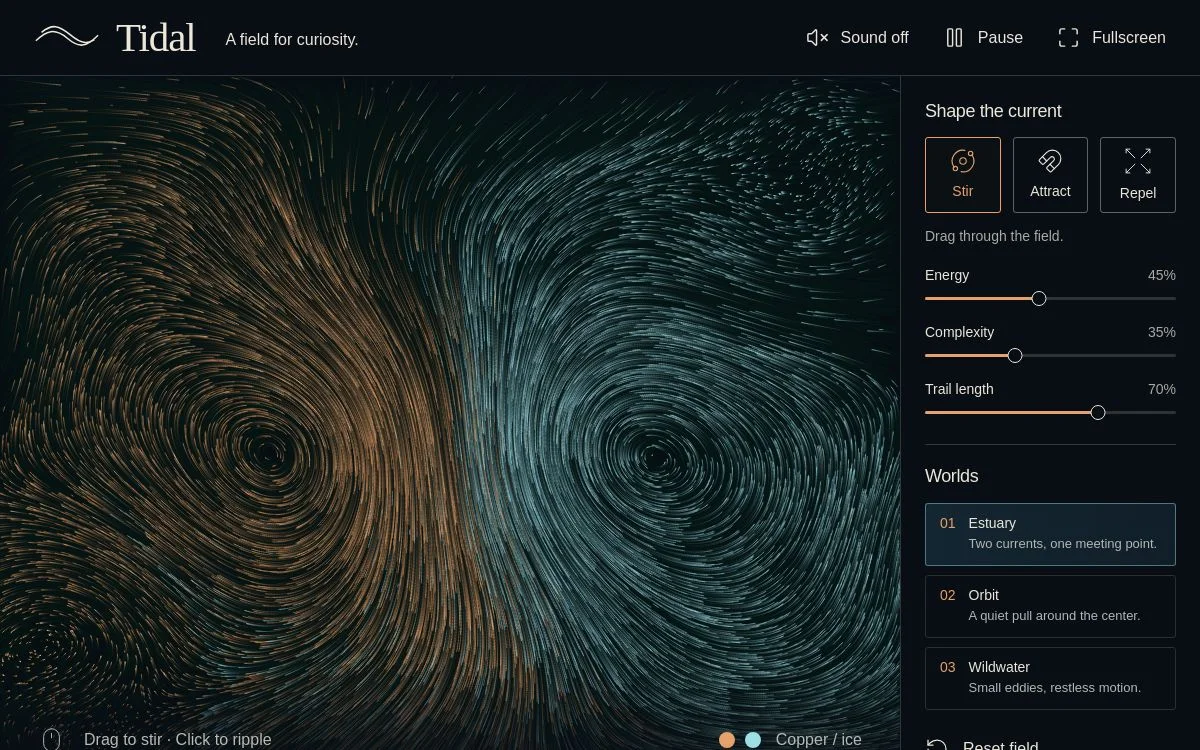
Tidal interactive current field with glowing particles and flowing motion.

Interactive experiment · Studio project

Tidal

Let the visitor shape what happens next.

Tidal is a responsive field of moving currents. Drag to stir it, add attracting or repelling forces, and change the energy, complexity, and trails to see how the field responds.

Behind the build

  1. The interface puts a few direct controls around one visual idea, with immediate feedback for each choice.
  2. Distinct world presets change the character of the motion while pause and keyboard controls offer other ways to explore.
  3. The interaction is the content: the visitor learns by changing the field rather than watching a fixed sequence.

For your workA demonstration or campaign can make a concept easier to grasp when a visitor is able to test it directly.

Shape the current Independent studio experiment. It demonstrates interaction design; no customer campaign outcome is claimed.

Storefront engineering

Custom storefronts, from artwork to interaction.

See how two more InkSoft designs become working React portfolio experiences, with their own graphics and browsing details.

Explore Pocket Portal, our camera-based studio experiment ↗
Jingle Bell, Jingle BAM holiday storefront theatre artworkPublic storefront reconstruction

Jingle Bell, Jingle BAM!

Behind the build

InkSoft storefront design & interactive React development

A dedicated React reconstruction of the holiday storefront, combining saved garment artwork, SVG collection shapes, and live snow and fireworks.

Original storefront
  • InkSoft
  • Custom HTML
  • Scoped CSS
  • Responsive design
Public reconstruction
  • React
  • TypeScript
  • Vite
  • Cloudinary
Reconstruction graphics
  • SVG
  • HTML Canvas 2D
  • ResizeObserver
  1. Original commerce platform and public demo

    The storefront presentation was designed within Data Graphics’ client-services workflow using InkSoft. The public React version recreates the browsing journey with saved artwork; customer accounts and checkout remain functions of the original private store.

  2. Snow-globe navigation and layered artwork

    Scoped CSS composes the theatre background, character overlays, glass panels, and garment imagery. An SVG globe shape and separate shell artwork frame collection cards while Canvas 2D supplies snow and decorative fireworks.

  3. Typed catalog and product options

    TypeScript product records drive five saved garment styles, category and text filtering, name or price sorting, and front-and-back inspection. React state manages example sizes, quantity, personalization text, cart totals, and item removal without submitting an order.

  4. Motion that responds to the browser

    ResizeObserver fits each canvas to its container. requestAnimationFrame updates particle positions; IntersectionObserver, tab visibility, a pause control, and reduced-motion preferences suspend animation. Responsive CSS rearranges the hero, collection, and product layouts for smaller screens.

Data Graphics client-services work. Public reconstruction with a demo cart; no orders or payments. Brand assets belong to their owners; no direct Disney engagement is claimed.

Explore the holiday storefront ↗
Nighttime Spectaculars storefront artwork showing Hollywood Studios at nightPublic storefront reconstruction

Nighttime Spectaculars

Behind the build

Interactive ecommerce design & HTML Canvas animation

A night-scene storefront design with a React portfolio reconstruction and a custom Canvas 2D fireworks system.

Original storefront
  • InkSoft
  • Custom HTML
  • Scoped CSS
  • Responsive design
Public reconstruction
  • React
  • TypeScript
  • Vite
  • Cloudinary
Reconstruction animation
  • HTML Canvas 2D
  • requestAnimationFrame
  • IntersectionObserver
  1. A storefront with an existing commerce engine

    The original InkSoft design places cinematic artwork and collection hierarchy around the hosted shopping platform. The public reconstruction uses its own typed product examples rather than connecting to the protected catalog.

  2. Custom particle animation

    Canvas 2D draws rising rockets and sparks with velocity, gravity, drag, and fading lifetimes. One requestAnimationFrame loop caps the spark count and pixel density; viewport and document-visibility checks stop unnecessary animation work.

  3. React components and product browsing

    Typed theme and product data drive reusable collection cards, category filters, text search, product inspection, size and quantity controls, and a temporary demo bag. React state keeps selections together as the visitor moves between views.

  4. Responsive frontend and motion controls

    Scoped CSS adapts the layout to narrow screens. Native buttons, labeled inputs, focus management, and a modal artwork viewer support keyboard use. Decorative effects pause offscreen or in a hidden tab and respect reduced-motion preferences.

Data Graphics client-services work. Illustrative public catalog and temporary demo bag; no orders or payments. No direct Disney engagement or measured sales outcome is claimed.

Explore the animated storefront ↗

Your work, made easier to experience

What should your customers be able to understand or do?

A school store, an event, a service business, and a product launch need different paths. Choose a starting point to see the kind of question we would tackle first.

First question / MDCA Webstore

Make the first decision clear.

Show what you do, whom it serves, and the most useful next step before asking someone to contact you.

Show us your customer path ↗

From idea to working experience

The build starts with the moment that matters.

  1. 01

    Understand the path

    Look at who arrives, what they know, where they hesitate, and the decision they need to make next.

  2. 02

    Shape the experience

    Map the content, navigation, and key interactions. Let the visual direction grow from the product and audience.

  3. 03

    Build within reality

    Work with the platform and workflow already in place when that is the right fit. Keep responsive behavior and accessible controls part of the design.

  4. 04

    Test the journey

    Check the essential path across screens and with reduced motion or advanced graphics unavailable.

Start with a draft. Take it as far as you want.

Make the first page in Playground, hand its files to your team, or bring the idea to Eidos Works for a scoped build.

Starting point

Show us the part that almost works.

Send a page, storefront, campaign idea, or customer path that is not doing justice to the work behind it. We’ll identify the first place we would make it clearer, more useful, or more compelling.

A little studio intelligence

Hello. I’m Eidos.

Ask about the work, your next website, or where an idea could go. I start with the studio’s published information.

0/900

This conversation stays in this tab. An optional AI follow-up sends your question to our AI provider; avoid private information. I cannot quote a project or operate the Lab. Details

Want a public conversation? →