Skip to content

Business Systems

Make the next step visible.

Custom web applications, operational dashboards, workflow automation, and API integrations should make daily work easier to follow. When jobs move through spreadsheets, inboxes, and disconnected tools, we build around the moment someone needs to know what is current, what needs attention, or who has the next action.

See the work ↓

Selected work

Different jobs. One useful question: what happens next?

These examples cover an estimator, a production view, and a photo handoff. Each starts with the operator’s decision, then works backward to the fields, checks, and interface needed to support it.

Working product
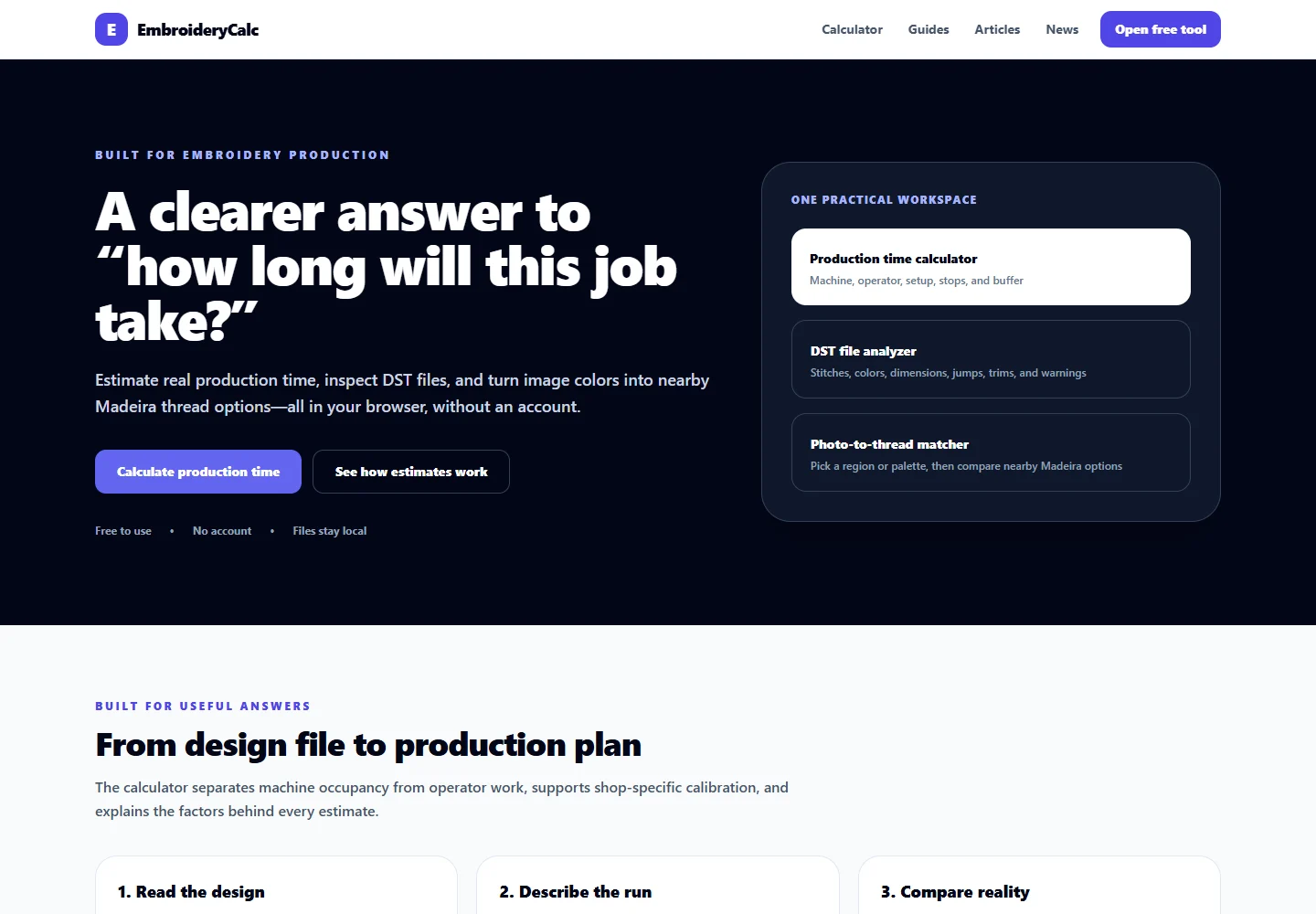
EmbroideryCalc interface showing embroidery estimating inputs and calculated output.A working estimating product. The public view demonstrates the interface; it does not quote or commit to a customer price.

EmbroideryCalc

Make the estimate explain itself.

The friction

Embroidery pricing depends on production inputs that are easy to lose in a spreadsheet or a hurried handoff.

How the interface is shaped

A focused workspace brings the inputs and resulting estimate into the same view so the operator can inspect the assumptions before using the number.
Open EmbroideryCalc
Internal workflow · Public case study
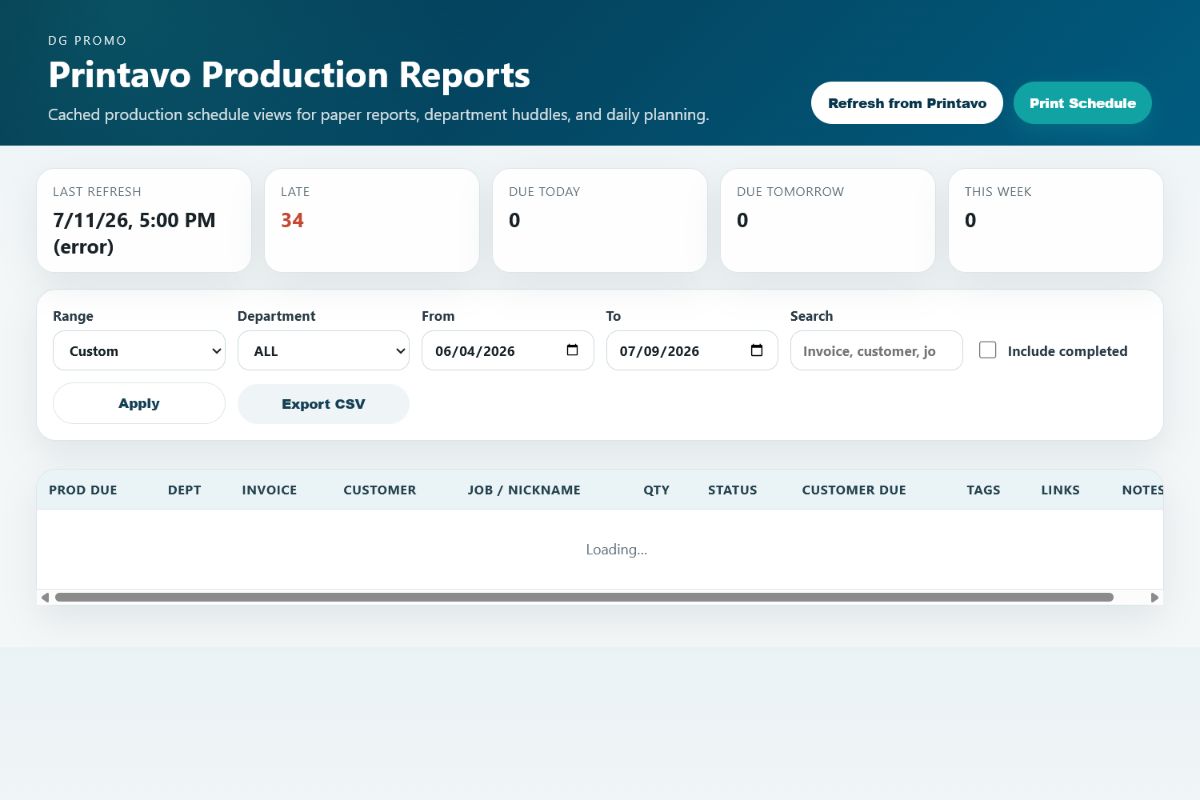
Production dashboard case study showing schedule counts, filters, and work-order rows.Built within Data Graphics’ internal production workflow. The public capture excludes customer rows. This is not presented as a direct Eidos Works client engagement or a measured improvement claim.

Production reporting

Put the exception beside the schedule.

The friction

A long job list leaves the team searching for late work, due dates, and the next department handoff.

How the interface is shaped

The reporting interface groups attention cues, filters, and work-order details around the decision the operator needs to make next.

Explore the case study
Private operational project
Private Data Graphics workflow. The public description covers intake and queue behavior; automatic downstream sorting and image enhancement outcomes are not represented as verified here.

Promo Photo Organizer

Carry the job context with the photo.

The friction

Production photos need a job identity, view labels, and a reliable handoff before they can be useful to the next person.

How the interface is shaped

A private intake flow captures job details and photo views and checks the upload queue before a planned SharePoint handoff. Customer images and employee records stay out of the public portfolio.

Discuss a similar workflow

Try a working interaction

Change a value. Find an exception. Inspect the next action.

These three small demonstrations use fictional records and rates. They show how a production board, estimator, and reporting view can respond to a real operator action. They are not connected to customer systems.

Eidos WorksConcept application — fictional data

Keep the next job moving.

A simple view of what’s in production and what needs attention.

Fictional production jobs
Job nameQuantityStatusDue date
120Ready09-25
80Printing09-26
48Delayed09-24
Fictional demonstration. No customer systems connected.

Behind the build

Custom React applications & operational dashboard development

The three concept applications below are implemented in the public site. They demonstrate frontend behavior with fictional records and rates.

Public concept demos
  • React
  • TypeScript
  • Vite
  • CSS
  • Native HTML controls
  1. Components organized around an operator task

    Separate React views handle production, estimating, and reporting. Search, status, and due-date filters derive the visible job list from the same local records used by the job-detail panel.

  2. Transparent calculations and reporting

    Editable quantity, materials, setup, and production time recalculate the sample estimate and its breakdown. Reporting totals and daily details derive from one selected dataset; native meter elements show completion against fictional capacity.

  3. Useful states before a live integration

    Loading, connection-error, retry, empty-result, and reset controls demonstrate how a workflow could behave. These demos use local React state. A customer API integration, database, or ERP connection would be scoped and verified separately.

Free tool for embroidery shops

Try a quote with your own numbers.

Quote Desk brings stitch time, handling, materials and margin into one printable estimate. The estimator is free; saved workspaces and paid subscriptions are still being prepared.

Try the free Quote Desk

How we build

Start at the handoff that keeps breaking.

  1. 01

    Trace the work

    Identify the source of each field, the person who changes it, and the decision it supports.

  2. 02

    Choose the smallest useful tool

    Prototype the view or action around the actual operator, with the existing systems and permissions in mind.

  3. 03

    Handle imperfect data

    Make missing, stale, and failed inputs visible. Define what can be retried and what needs a person to review.

  4. 04

    Test the handoff

    Check the route from input to output, including access, export, and recovery before expanding the workflow.

Starting point

What is your team still doing by hand?

Show us the repeated step, report, spreadsheet, or handoff. We’ll identify where a focused tool or automation could remove friction without replacing systems that still work.

A little studio intelligence

Hello. I’m Eidos.

Ask about the work, your next website, or where an idea could go. I start with the studio’s published information.

0/900

This conversation stays in this tab. An optional AI follow-up sends your question to our AI provider; avoid private information. I cannot quote a project or operate the Lab. Details

Want a public conversation? →